Lighting
The Lighting tool adds shadows to enhance the realism of your image.
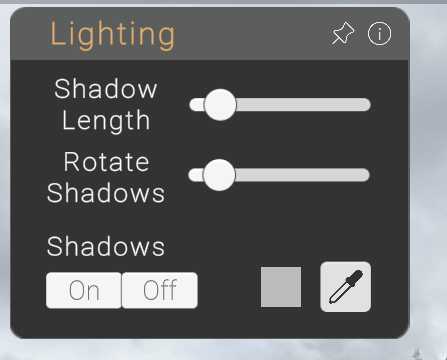
Enable Shadows by turning them on in the menu.
Shadow Length
Increase or decrease the length of the shadows on the ground.
Rotate Shadows
Change the sun's direction to adjust how shadows are cast around objects.
Shadow Quality
Modify shadow quality in File → Settings.
Low Quality: Shadows stay on the object itself.
High Quality: Shadows extend onto the ground for a more realistic effect.
NOTE
You can change the colour of the shadow by using the eyedropper!